
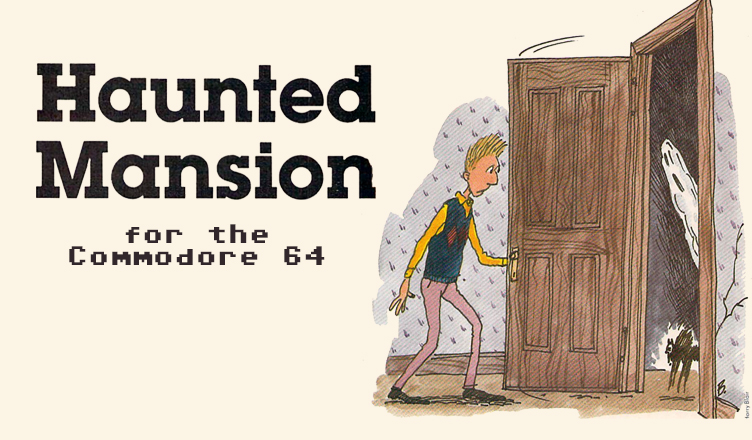
Title – Haunted Mansion
System – Commodore 64
Author – Calvin Overhulser
Publication – COMPUTE’s Gazette Issue 8, February 1984
Page Scans – 1 2 3 4 5 6
Preserved by – Rick Reynolds
Recommended Emulator – VICE
/Haunted%20House%20(Calvin%20Overhulser)-ss1.jpg)
/Haunted%20House%20(Calvin%20Overhulser)-ss2.jpg)
/Haunted%20House%20(Calvin%20Overhulser)-ss3.jpg)
Loading the Game –
- Mount the disk image (Haunted House.d64) in your emulator. In VICE, this is done by selecting File → Attach Disk Image
- Load the app by typing LOAD”HAUNTED HOUSE”,8
- Once loaded, type RUN to start
Game Instructions:
- This is a one-player action game.
- You control a man searching through a haunted house to rescue kidnapped cats.
- Movement through the house is via joystick.
- Avoid the ghosts, bats, and evil spirits.
- The goal is to collect all the kidnapped cats and retrieve them from the house.
Article Text
“Haunted Mansion” is a joystick-controlled action game with colorful and imaginative graphics. Written for the VIC with at least 3K expansion, we’ve added a version for the 64.
An evil witch has captured some friendly neighborhood cats and taken them to her haunted mansion, where she will later turn them into “witch cats.” She is out flying on her broom in search of more —so now is your chance to enter the mansion and rescue the cats. The witch’s mansion is a maze of corridors, and she has placed the cats in various locations throughout the maze. Your goal is to rescue the cats while avoiding ghosts, bats, and evil spirits.
How To Play
After selecting one of six skill levels, use your joystick to maneuver through the maze to one of the cats. When you’ve got him, return to the bottom row of the maze, the only safe spot for felines in this game. If you run into a ghost or bat on your return, you’ll drop the cat and lose points. The frightened cat will then jump to another random location in the maze. The ghosts and bats aren’t deadly. When you run into one, you eliminate it, but lose points. At the higher skill levels, you’ll have to sacrifice points by deliberately running into the ghosts or bats to clear a path to get to a cat.
Your most dangerous enemies are the moving evil spirits (which look like glowing jack-o-lanterns). If you run into one of them, there’s no second chance-the game ends, and your final score, skill level, and round are displayed. You will then be given the option to play another game and choose a skill level. The higher skill levels award more points but are more difficult.
For VIC Users
If you have a VIC, you must use a memory expander. If you use a 3K expander, just type in the game (read Typing Tips at the end of the article) and run. If you use 8K or greater expansion, type in the following line before loading or entering the program:
POKE 642,32:SYS 58232
Be sure to enter this line in immediate mode and press RETURN before loading the program, as it is necessary to move the start of BASIC to the beginning of the first 8K expansion block of memory.
How The VIC Version Works
I have included REMs for the major subroutines to show how the program is logically constructed. The main loop is in lines 210-240. Lines 300-307 are used to update the location of the cat saver (the player) and the selected evil spirit. The ON…GOSUB in line 215 for the cat saver and in line 630 for the selected evil spirit allows the new location for either to be calculated using the same subroutines.
To speed up the joystick response, I used a machine language routine which is READ in line 120 and POKEd into the cassette buffer. The DATA statements are found in lines 9000-9040. The SYS in line 210 calls the routine, which places the value of the joystick reading in location 830 and the fire button reading in location 831.
If you think of the joystick positions as points on a compass, you can see the joystick values in location 830 as follows:
| Joystick Position | Value in 830 |
| None | 0 |
| N | 1 |
| NE | 2 |
| E | 3 |
| SE | 4 |
| S | 5 |
| SW | 6 |
| W | 7 |
| NW | 8 |
The fire button values are contained in location 831 as follows:
| Fire Button | Value in 831 |
| ON | 16 |
| OFF | 0 |
This routine allows the BASIC program to PEEK(830) or PEEK(831) as needed, and it reads the joystick twice as fast as an equivalent BASIC routine. In this game, the fire button is not used and only joystick positions N,S,E, and W are needed. The beauty of this routine is that it returns all conditions of the joystick and fire button, but you use only the ones you need.
If you’ve already looked at the game, you’ve probably noticed the custom characters. The first 64 normal VIC characters are moved by line 110 into Random Access Memory (RAM). Lines 130-150 then READ and POKE the DATA statements (lines 10000-10190) for custom characters into RAM. Line 100 lowers the top of memory (only when running with the 3K expander) to protect the custom character set from being obliterated by BASIC. Incidentally, creating the custom characters was not such a chore because I used David Malmberg’s “Custom Characters For The VIC” program from COMPUTE!’s First Book Of VIC. Table 1 lists the custom characters and their screen codes.
Note that there is a custom character “space” (screen code 62) in addition to the normal space (screen code 32). This allows the same character to be displayed on the screen with both codes, but allows the program to tell the difference. The normal space is used inside the mansion, and the custom character space is used outside. This keeps the cats, bats, ghosts, and evil spirits from appearing in the sky since they can be placed only in a location containing a normal space.
The game screen is built in lines 1000-1093, and the maze is generated in lines 1200-1292. Variable names, listed in Table 2, are used more than once where possible to conserve memory.
Typing Tips
This is a long program to type in, so be sure to use the keyword abbreviations found in Appendix D of Personal Computing on the VIC-20, which came with your VIC. Don’t add any spaces! At certain points in the program, there are only about 100 bytes free when using the 3K expander.




/Haunted%20House%20(Calvin%20Overhulser)-1.jpg)
/Haunted%20House%20(Calvin%20Overhulser)-2.jpg)
/Haunted%20House%20(Calvin%20Overhulser)-3.jpg)
/Haunted%20House%20(Calvin%20Overhulser)-4.jpg)
/Haunted%20House%20(Calvin%20Overhulser)-5.jpg)
/Haunted%20House%20(Calvin%20Overhulser)-6.jpg)