
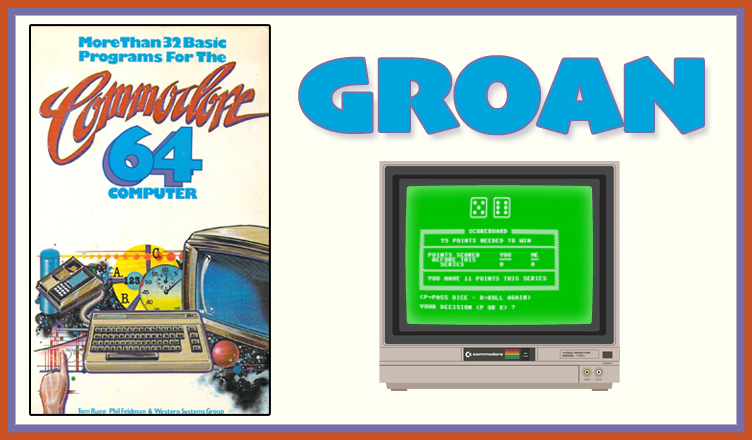
Title – GROAN
System – Commodore 64
Author – Tom Rugg, Phil Feldman, and Western Systems Group
Publication – More Than 32 BASIC Programs for the Commodore 64 Computer (1983)
Page Scans – 1 2 3 4 5 6 7 8 9
Preserved by – bdjeffyp
Recommended Emulator – VICE
/groan-screenshot1.jpg)
/groan-screenshot2.jpg)
Loading the Game –
- Open the Commodore 64 VICE emulator (x64sc.exe)
- Drag the groan.prg file onto the emulator window
- The game will load and the title screen appears
Game Instructions:
- On the title screen, enter the target score that is needed to win the game.
- The game randomly chooses who goes first: the player or the computer.
- Dice are rolled.
- If you got numbers on both dice, the results are added together.
- You can then pass to the opponent and bank your score by pressing the P key.
- You can risk getting more points and roll again by pressing the R key.
- If you get a “GROAN” (the 1 on a die which appears as a frown face), your turn ends and all points for that round are lost.
- If you get double “GROAN”, the word “DESPAIR” is shown. All points banked are lost.
- Play continues back and forth until one player reaches the target score when they bank their points.


/32BASICC64-p155.jpg)
/32BASICC64-p156.jpg)
/32BASICC64-p157.jpg)
/32BASICC64-p158.jpg)
/32BASICC64-p159.jpg)
/32BASICC64-p160.jpg)
/32BASICC64-p161.jpg)
/32BASICC64-p162.jpg)
/32BASICC64-p163.jpg)