
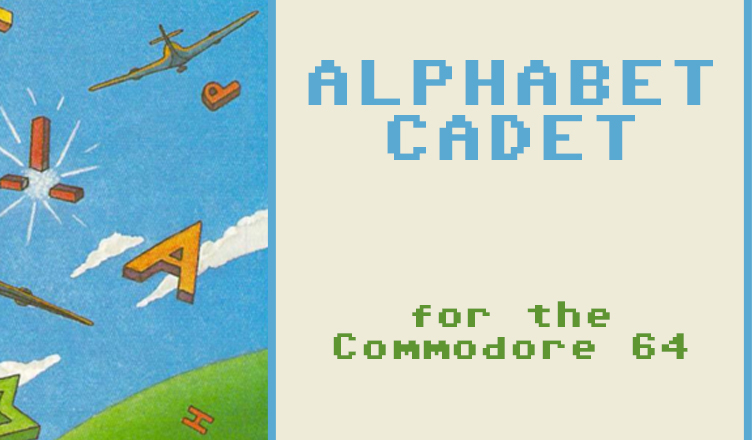
Title – Alphabet Cadet
System – Commodore 64
Author – John Ryan
Publication – RUN, July 1988
Page Scans – 1 2 3 4 5
Preserved by – eboy71
Recommended Emulator – VICE
/Alphabet-Cadet-Screen1.png) .
. /Alphabet-Cadet-Screen2.png) .
.
Loading the Game –
- Mount the disk image (1888-07 -58 – RUN – Alphabet Cadet.d64) in your emulator. In VICE, this is done by selecting File → Attach Disk Image
- Load the app by typing LOAD”ALPHABET CADET”,8
- Once loaded, type RUN to start
Article Text
Alphabet Cadet is a vocabulary game that’s so exciting the whole family will want to get involved. A one- or two-player game, it offers a high level of challenge and competition, with features including a scrolling playfield, sound effects, two levels of difficulty and full scorekeeping, including high score.
The idea of the game is to shoot down letters that match those in a randomly selected word as an assortment of letters scrolls down from the top of the screen. While this may sound easy, competition for the letters is keen, because your opponent — either computer or human — is striving for the same letters you are. Level 2 offers an added twist: If a player shoots a letter that both players possess, the opponent will lose it from his score and must shoot for it again.
The first player to match the target word wins the round. Alphabet Cadet is programmed for five rounds of play, with 15 target words, but these defaults can be changed.
Setup
Most of the program is written in machine language, so you must complete a couple of steps before play can start. First, type in and save Listing 1 to disk under any filename, but don’t run it yet. Next, type in Listing 2, which is the machine language portion in the form of Basic Data statements. Don’t worry, you’ll only have to run all these Data statements once. Save Listing 2 to the same disk under any filename, then run it. The program will take a few moments to poke in the data before saving the machine language program to disk as a small binary object tile.
For two-player games, you’ll need two joysticks. That of player 1 plugs into port 2 (the rear port), while player 2’s joystick plugs into port 1 (yes, I know it’s a little confusing). For one player, the single joystick goes into port 2 as well.
Playing Alphabet Cadet
Now you’re ready to play. Load and run the file that contains Listing 1; this automatically loads in the binary file created by Listing 2. If all goes as it should, you’ll see a colorful title screen.
After you specify the number of players and the difficulty level, the main Alphabet Cadet screen appears. The left half of the screen is the playfield, where random letters scroll down from top to bottom. S]irite “guns” are positioned at the bottom of the playfield, the red for player 1 and the blue for player 2. You can move these guns left and right within the playfield boundary once play starts.
The right half of the screen displays the scores. At the top part of this half is a block reserved for the target word, as well as color-coded red and blue scoring blocks for players 1 and 2. Round number and high-score information appears at the bottom of this half of the screen.
Press any key to begin. A target word appears in the block at the top of the scoring screen, then letters immediately begin scrolling downward toward the guns. When a letter appears that corresponds to one in the target word, position your gun directly beneath it and press the joystick button to fire. A successful hit moves the letter from the screen into your scoring block.
I stress “successful hit” for two reasons. First, just because you aim and fire at the letter doesn’t guarantee you’ll hit it. There are plenty of “duds” sprinkled throughout your arsenal, so be persistent. Second, your opponent is likely to be firing at the same letter. If he or she gets the letter first, you’ll miss out on the points and, if you’re playing at level 2, maybe a letter as well.
Level Play
In level 1 of Alphabet Cadet, geared toward younger players, the letters scroll down at a relatively slow pace, and your computer opponent targets only the letters that it needs. In level 2, the intensity of the game beats up considerably, with the computer opponent shooting like a maniac at all the letters it needs and every one you need as well.
In level 2 play, if both players possess a target-word letter, another hit on the letter removes it from the scoring block of the shooter’s opponent, forcing him or her to fetch it again. Points are also awarded to the shooter for removing an opponent’s letter.
At level 2, you have essentially no time to study the board, especially when vying against the computer — winch is one quick, intelligent and insensitive player. However, audio cues will help you keep abreast of what’s occurring.
When you or your opponent successfully shoots a letter, a low tone sounds, and when a letter is stricken from a player’s scoring block, a high tone sounds. By listening to the cues, you’ll soon know who’s gaining and losing letters.
Winning the Game
The first player to match the target word wins the round and is awarded 100 points. In addition, each player earns points for the letters he or she possesses. Each letter has a value, with A worth the least and X worth the most. Bonus points are also added in, depending on the duration of the round — the longer it is, the more bonus points awarded. These bonus points for lengthy games serve as an incentive at level 2, since it’s extremely difficult to survive against the computer at that level.
At the end of five rounds, the points are tallied and the winner’s name flashes repeatedly. Keep in mind that the player who wins the most rounds won’t necessarily be the final victor, since the point total determines that.
Strategy
Young children, four to five years old, should be introduced to Alphabet Cadet with the two-player option, and just be allowed to shoot the letters as they appear on the screen, without trying to hurry or compete. Just matching the words without any antagonist is a joyful and rewarding experience for most youngsters. Single player mode, with the computer providing competition, isn’t recommended for kids in this age group, since the computer doesn’t miss too often, and frustration may set in.
Once the child is confident with the mechanics of the game and can quickly identify all the letters in each word, he or she can progress to competing against another player in Two Player mode or the computer in One Player mode.
Older players can pursue various strategies. In a level I game, you can’t strike letters from your opponent’s scoring block, but that doesn’t mean you should sit around waiting for your last letter or two while your opponent has only one more to go! Try to shoot down his or hers as well. While you won’t get points for them, you’ll force your opponent to wait for later appearances of the letters.
At level 2 — well, you’re on your own. With two players, the intense competition could make mortal enemies out of entire families. Against the computer, you’ll get short-changed, slam-dunked, deep-sixed and generallv get the stuffing beat out of you, but keep trying. Soon you’ll be winning consistently, even if you’re not a champion joystick athlete.
Customizing Alphabet Cadet
Adding more rounds per game, as well as more target words, is very easy. At the beginning of Listing 1, you’ll notice the variable NW%, which represents the number of words, and NR% (number of rounds). You can set NW% to any number from 1 to 100, or even more, if you adjust the DIM statements. But never set .NW% to exceed the number of target words found in the Data statements, or you’ll get an Out of Data error.
NW% corresponds to the number of target words in the Data statements at the end of Listing 1. To add new target words, simply type the new words into the Data statements and change the variable NW% accordingly. Then resave the program. Target words must be no longer than eight characters, with no embedded spaces or non-alphabetic characters.
To change the number of rounds needed to win, just change NR% to whatever value you’d like.
Though Alphabet Cadet plays more like an arcade game than an educational one, you’ll be surprised at how quickly youngsters will be identifying letters and learning new words with this program — that is, if they can get Mom and Pop off the computer long enough to play!
Editor’s Note:
- Even on the easy skill level, this is an extremely challenging game when played vs. the computer!
- If you’re planning on typing this in, make sure to use RUN’s Checksum program.


/RUN-55-Jul1988-p49.png)
/RUN-55-Jul1988-p50.png)
/RUN-55-Jul1988-p51.png)
/RUN-55-Jul1988-p52.png)
/RUN-55-Jul1988-p53.png)