
Title – Treasure Diver
System – Commodore 64
Author – Brian Casey
Publication – Compute!’s Gazette, Issue 059, May 1988
Page Scans – 1 2 3
Preserved by – eboy71
Recommended Emulator – VICE
/Treasure%20Diver%20-%20Screenshot%201.png)
/Treasure%20Diver%20-%20Screenshot%202.png)
Loading the Game –
- Mount the disk image (CG058-May 1988-Treasure Diver.d64) in your emulator. In VICE, this is done by selecting File → Attach Disk Image
- Load the app by typing LOAD”TDIVER”,8,1
- Once loaded, type SYS 49152 to play
Article Text & Instructions:
What chance does a bubble stand in an ocean full of sharks? Not much, but if he thinks fast, he may collect a lot of treasure before he pops. An enjoyable, high-speed game for the Commodore 64. Joystick required.
If you like finding treasure — and who doesn’t? — you’ll enjoy “Treasure Diver,” an adventurous underwater game that’s packed with action.
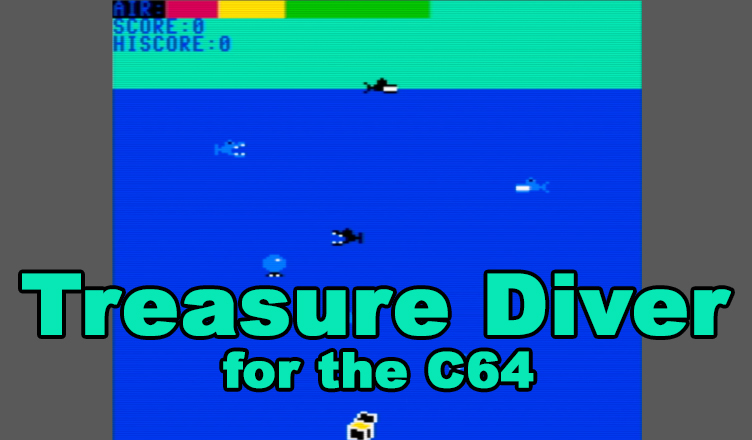
In Treasure Diver, you are a small bubble, floating at the top of the ocean. At the ocean’s bottom is a treasure chest which drifts slowly along in the current. All that you have to do is hold your breath and dive to get the treasure.
Of course if it were that easy, it wouldn’t be much fun. That’s where the sharks come in. A screen full of blue sharks swimming in hunting patterns, hoping to come across a morsel of food. Stay clear of them. Pay special attention to the two black sharks (they’re smarter than the blue ones) because they’ll try to hunt you down.
At the top of the screen is your air indicator. When you dive, the indicator will move through the safe green area, into the yellow warning area, and finally into the red danger area. Be sure to surface for more air before you run out.
When a shark takes a bite out of you, he does permanent damage— you’ll leak air faster. With each bite, things get worse. In waters this dangerous you won’t last long, so collect as much treasure as you can as quickly as possible.
Typing It In
Treasure Diver is written entirely in machine language. Type it in using “MLX,” the machine language entry program found elsewhere in this issue. When MLX asks for starting and ending addresses, respond with the following values:
Starling address: COOO
Ending address: C8C7
After you’ve finished entering the data, be sure to save it to tape or disk before leaving MLX.
Plug a joystick into port 2. To load Treasure Diver, use a statement of the form LOAD”TREA5URE”,8,1 (for disk) or L0AD-TREASURE”,1,1 (for tape). If you saved Treasure Diver as something other than TREASURE, use the filename with which you saved the program.
To start the program, type SYS 49152. You’ll be asked to select the game speed. Enter a number between 1 (fastest) and 4 (slowest). For your first game, try speed 4.
When the game begins, maneuver down between the sharks to the treasure. To capture the treasure, just touch it. It will disappear, giving you 200 points. If you get into a jam, hold the fire button down as you move — you’ll go faster, but you’ll also use up a lot of air.
Treasure Diver keeps the high score on the screen. If you want to pause the game, press SHIFTLOCK. Press it again to resume play. To quit the game, press F7. See program listing on page 91
Editor’s Notes:
- Brian Casey authored at least one other Commodore 64 program – Jewel Grab, which appeared as a type-in in the January, 1989 issue of COMPUTE!’s Gazette
- If you are typing this program in, you will need to use COMPUTE!’s MLX II to enter the machine code.


/CG-59-May1988-p28.png)
/CG-59-May1988-p91.png)
/CG-59-May1988-p92.png)