
Title – Snake Escape
System – Commodore 64
Author – Daryl Biberdorf
Publication – COMPUTE’s Gazette Issue 1, July 1983
Page Scans – 1 2 3 4 5
Preserved by – Rick Reynolds
Recommended Emulator – VICE
/Snake%20Escape%20(Daryl%20Biberdorf)-ss1.jpg)
/Snake%20Escape%20(Daryl%20Biberdorf)-ss2.jpg)
/Snake%20Escape%20(Daryl%20Biberdorf)-ss3.jpg)
Loading the Game –
- Mount the disk image (Snake Escape (Daryl Biberdorf).d64) in your emulator. In VICE, this is done by selecting File → Attach Disk Image
- Load the game by typing LOAD”SNAKEESCAPE”,8,1
- Once loaded, type RUN to start
Game Instructions –
- This is a one-player action game.
- You control a snake that grows one segment at a time, you cannot backtrack.
- Add segments to the snake via the I (up), J (left), K (right), and M (down) keys.
- Avoid the poisonous plants scattered around the board.
- The goal is to move the head of the snake to the escape hole in the bottom right of the screen.
Article Text
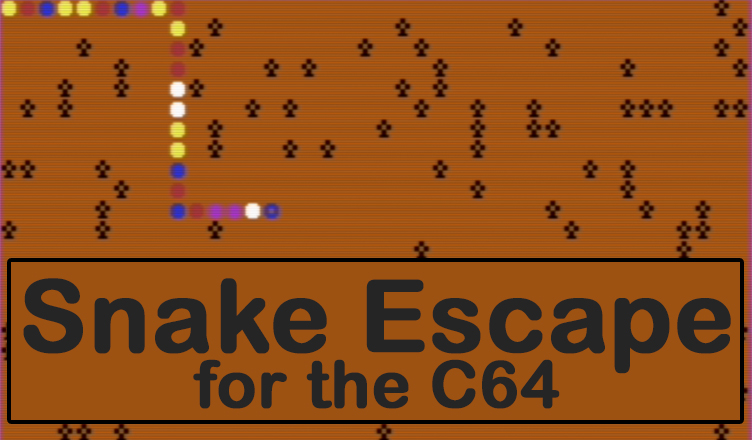
In “Snake Escape,” your goal is to move a snake out of a poisonous garden. There are approximately 150 poisonous plants on the screen after you enter your skill level. The snake appears in the upper-left corner after all poisonous plants have been placed. You then attempt to get the snake to the escape hole within the time limit you chose earlier.
The snake must reach the hole without hitting a poisonous plant, running into itself, or running out of time. If it reaches the escape hole safely, you will receive a bonus in addition to your score. The snake grows as it moves along; you receive one point for each body segment it adds while moving. If it runs into itself or a poisonous plant, a cross will appear in the center of the screen with your score and the number of remaining snakes. You may stop the snake if you wish by simply releasing all keys, but remember this costs you time.
Strategy
If you are running your snake near the left or right edges of the screen, remember that both the VIC and 64 have horizontal screen wraparound. You may end up hitting a poisonous plant on the other side of the screen, so be careful! Occasionally, the snake will be cornered between plants and itself due to a miscalculation in maneuvering. Try to fill up all the spaces you can in the cornered-oft area. You may lose a snake, but you will still receive a few extra points. Also, try to keep moving at all times. And watch where you’re going!
The direction the snake moves is determined in lines 200 through 230 in both versions. As written, keys I (up), J (left), K (right), and M (down) move the snake. If you aren’t comfortable controlling the snake with these keys, you can easily change the program to accept other key commands.
For instance, suppose you want to use the Z key rather than the j key to move the snake left. Since location 197 reads the keyboard on the VIC and 64, you must first determine the number which is POKEd into this location when Z is pressed. Type the following line:
1 PRINT PEEK (197):FOR 1 = 1 TO 400:NEXT I: GOTO 1
and then RUN the program. Next press the Z key, and the number in location 197 corresponding to the Z key will print repeatedly on the screen. The VIC will print 33, the 64 will show 12. Try some other keys, noting their values, then hit the RUN/STOP key.
You are now ready to make the modification in line 200. In the VIC version, replace 20 with 33, and in the 64 version, substitute 12 for 34. RUN the program (after deleting line 1, of course); you can move the snake left with the Z key.





/Snake%20Escape%20(Daryl%20Biberdorf)-1.jpg)
/Snake%20Escape%20(Daryl%20Biberdorf)-2.jpg)
/Snake%20Escape%20(Daryl%20Biberdorf)-3.jpg)
/Snake%20Escape%20(Daryl%20Biberdorf)-4.jpg)
/Snake%20Escape%20(Daryl%20Biberdorf)-5.jpg)