
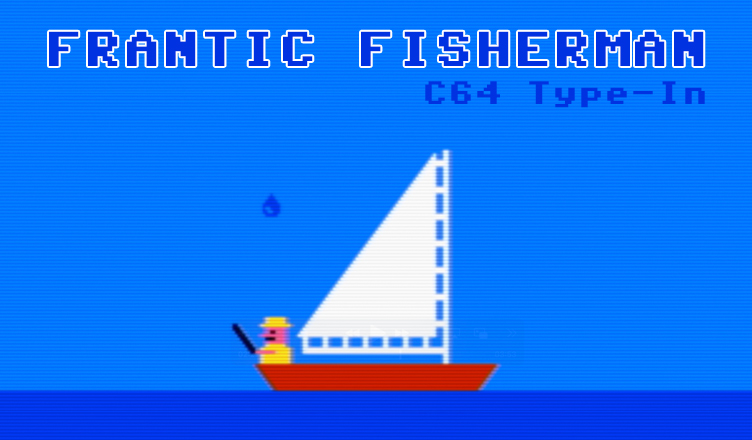
Title – Frantic Fisherman
System – Commodore 64
Author – David Lacey
Publication – Compute!’s Gazette, Issue 12, June 1984
Page Scans – 1 2 3 4 5 6
Preserved by – eboy71
Recommended Emulator – VICE
/Frantic-Fisherman-Screenshot1.png)
/Frantic-Fisherman-Screenshot2.png) .
.
Loading the Game –
- Mount the disk image (CG12-June 1984-Frantic Fisherman.d64) in your emulator. In VICE, this is done by selecting File → Attach Disk Image
- Load the app by typing LOAD”FRANTIC FISHER”,8
- Once loaded, type RUN to start
Article Text & Instructions:
Idly floating in your boat, waiting for the fish to bite, is a fine way to relax. In this game, however, an angler’s dream becomes a nightmare when sharks get the notion that you’re the bait and thunderclouds threaten you with gargantuan raindrops. It’s good you remembered to bring your shark swatter and an umbrella. For the VIC and 64.
The fish are biting, and you’ve managed to catch a few. But suddenly you notice the sky is clouding over, and to make things worse, ravenous sharks begin to circle your boat.
The object of “Frantic Fisherman” is to survive. You score points by clubbing the sharks with your bat and blocking raindrops with your umbrella. You start with three fishermen. Each time a shark or raindrop hits the boat, you lose the boat and one fisherman. However, a new fisherman is awarded for every 2,000 points.
Three keys are used to control movement. To move back and forth, use the less than ( < ) and greater than ( > ) keys. The space bar serves two functions. When sharks approach, it controls the club. If a raindrop is falling, it controls the umbrella. You can use the shark swatter as many times as you like. The umbrella, though, can be lifted only three times for each raindrop.
Controlling The Frenzy
If you think the game is too fast or slow, you can make the fisherman more (or less) frantic.
VIC users can alter the speed by changing the variable DE in line 30 of Program 2. To add more fishermen, increase the value of GL in line 100.
The bulk of the 64 version is written in machine language and the speed controls are built in. The four function keys give you four speeds, from very slow (F1) to frustratingly frantic (F7). The first speed (F1) is rather easy and is recommended only as practice. You can also pause the action by pressing the SHIFT/LOCK key. (Pressing it again restarts the game.) To end the game (64 version only), press the back arrow (<- ) key.
Editor’s Note:
- If you are planning on typing this in, you may want to use COMPUTE!’s Automatic Proofreader.


/computes-gazette-June-1984-p184.png)
/computes-gazette-June-1984-p185.png)
/computes-gazette-June-1984-p186.png)
/computes-gazette-June-1984-p187.png)
/computes-gazette-June-1984-p58.png)
/computes-gazette-June-1984-p60.png)