
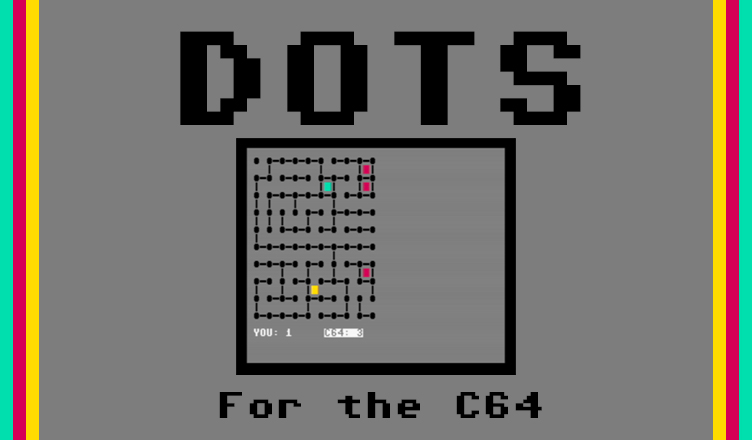
Title – Dots
System – Commodore 64
Authors – Eric K. Evans
Publication – COMPUTE! Issue 40, September 1983
Page Scans – 1 2 3 4
Preserved by – eboy71
Recommended Emulator – VICE
/dots-screenshot0.png) .
. /dots-screenshot1.png) .
. /dots-screenshot2.png)
Loading the Game –
- Mount the disk image (Compute 040 Dots.d64) in your emulator. In VICE, this is done by selecting File → Attach Disk Image
- Load the app by typing LOAD”DOTS”,8,1
- Once loaded, type RUN to start
Game Instructions –
- Dots is a strategy game where you play against the computer.
- The game starts with an array of dots. Using your joystick or keyboard, position your cursor to a spot between two of them and press the fire button or RETURN to insert a line.
- The computer will then take a turn.
- The goal of the game is to fill in as many squares as possible. The game is over when all the squares are filled in and the player with the most wins.
Article Text
Easy to play, but challenging, this game pits you against your computer. You can choose one of ten skill levels. Written for the VIC with versions for the 64, Color Computer, and Apple.
“Dots” is based on a strategy game that many people first come across while they are in elementary or junior high school. You remember it: you and a friend take a couple of pencils and a piece of paper and draw several rows of dots on the paper. Then you take turns drawing horizontal or vertical lines that would connect two dots. These lines form the sides of squares.
The object of the game is to maneuver your friend into drawing the third side of a square so that you can draw the fourth side and complete the square. Every time you finish a square you get one point and another turn. When all of the squares are finished, the game ends and the person with the most points wins.
With this program, vour computer will be the friend you play against and it will also act as umpire. Its decisions will be final, but don’t worry – it doesn’t cheat.
How To Play
The first thing you need to do after typing in or loading the game is enter either a J if you plan to use a joystick for input or a K if you are going to use the keyboard cursor control keys and the RETURN key for input. Next you will be asked to enter a skill level between 0 and 1 0 (with 10 being the most difficult).
If you enter 0 as your skill level, the VIC will play randomly and you should win with little effort. At skill level 10, be prepared for a real strategic challenge. At level 0, the VIC will make its move immediately after yours. As the level of play increases, the VIC’s response time increases, too. At level 10, it will usually take between 5 and 20 seconds to make its move.
When the game starts, a 100-dot (ten by ten) game board will be displayed with a scoring area at the bottom of the screen. You always move first. To move, position the yellow cursor where you want to draw a line, and then hit the joystick fire button or the RETURN key to enter your move. When the VIC makes a move, it will beep and flash the line it is going to draw to make sure you see where it is moving.
Whenever you complete a square, the square is colored in cyan and you get another turn. Whenever the VIC completes a square, the square is colored in red and the VIC moves again. These colors are used because they contrast well on black-and-white as well as color TVs. The game continues until all 81 squares have been formed and the winner is declared.
Editor’s Note:
- The game was originally written for the VIC-20


/1983-09%20Diamond%20Drop%20-%20COMPUTE%20-%20p76.jpg)
/1983-09%20Diamond%20Drop%20-%20COMPUTE%20-%20p84.jpg)
/1983-09%20Diamond%20Drop%20-%20COMPUTE%20-%20p86.jpg)
/1983-09%20Diamond%20Drop%20-%20COMPUTE%20-%20p88.jpg)