
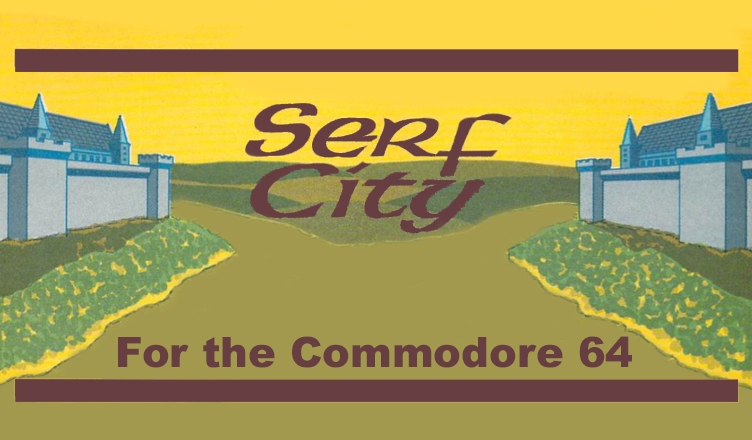
Title – Serf City
System – Commodore 64
Author – William K. Balthrop
Publication – Home Computer Magazine, Volume 5, No. 6, November 1985
Page Scans – 1 2 3 4 5 6 7
Preserved by – eboy71
Recommended Emulator – VICE
/Serf-City-Capture1.png)
/Serf-City-Capture2.png)
/Serf-City-Capture3.png)
/Serf-City-Capture4.png)
Loading the Utility –
- Mount the disk image (Serf-City-HCM-Nov-85-Vol5-06.d64) in your emulator. In VICE, this is done by selecting File → Attach Disk Image
- Load the app by typing LOAD”SERF CITY”,8
- Once loaded, type RUN to start
Article Text
The year is 985 A.D. From a balcony just outside your royal quarters, you survey your entire kingdom in the valley below. Across the valley sits the castle of your arch rival. For years, you and the other king have shared this valley, bathing for land and food for your people. But now you tire of this status quo— you want the valley all to yourself. Your mind searches for a means to this end. An all out battle between armies? A fight-to- the-death between you and the other king? No. Experience has taught you that only through shrewd economics can you slowly weaken your opponent and rule the entire valley.
Serf City is a two-player economics simulation employing both text and graphics. Each player rules one of the valley’s two kingdoms, both largely subsistent on wheat crops. Your objective is to increase the size, wealth, and population of your kingdom until you run your opponent out of the valley.
But this is no shoot-em-up arcade game. Only sly economic tactics can put you on the road to prosperity in this simulation. Several devices are at your disposal: You can purchase land, establish commerce, build wheat mills, plant crops, sell wheat, raise taxes, and hire or fire your own army. However, you don’t have control over everything! The program contains random factors simulating unforeseen disasters that can severely diminish your kingdom’s crops or population. (See Figure 1 for a schematic of how all these economic factors interrelate.)
Factors Of The Realm
When the program starts, you and your opponent must enter your names. Then, the main data display appears on the screen (see Photo 1). The data screen displays the current year— beginning in the year 985 A.D.— next to your name. A turn lasts one year, but the number of years that a game can last is unlimited. A game terminates when the players quit or when one player has no more population or land.
The main data display also lists your initial economic resources. Both players begin the game with 12 units of land, 90 people, 500 gold pieces, and 500 bushels of surplus wheat. The land is occupied by 2 units of commerce and 1 mill, leaving 9 units for farming.
After you’ve briefly studied the data display, you begin play by pressing the key corresponding to the economic device you want to manipulate. It’s time to don your royal economic thinking cap and commence your most cunning ruling strategy! Prompts guide you through the rest of the simulation. When you complete entering data for the current year, press [RETURN] or [ENTER]. Now, it’s your opponent’s turn. When your opponent has finished entering data, press [RETURN] or [ENTER] again to display the year- end economic report, which is based on the decisions made during your last turn (see Photo 2). The program then shows your updated score on the main data display during your next turn.
Population
Population varies each year, due to births, deaths, immigration, and emigration. And these factors fluctuate depending on your kingdom’s overall prosperity— a healthy food supply, reasonable tax rates, and a sufficient work force. To increase your population, for example, feed your people more [see “Food” section], making sure that you have enough field and mill workers to produce the extra food you need. Feeding your people less reduces your population. Population can also drop when the personal tax rate is too high (see “Personal Tax” section); people may move to other kingdoms with lower taxes (but never into your opponent’s kingdom). If your population drops to zero, your kingdom falls, and your opponent rules the entire valley.
Employment
The program allocates portions of your population to work in your kingdom’s fields, mills, and commerce. Field workers are your highest priority— without them you have no wheat to process for food. Therefore, the program automatically allotts enough people to harvest all of the land you have planted. If you have sufficient population, the program then allocates any additional people to work in mills. Next, the program makes commerce workers out of any other people you have after fully staffing your fields and mills. Finally, the program considers any leftover population to be unemployed.
Commerce
The program expresses all merchant trade in terms of units of commerce, each unit costing 500 gold pieces and occupying one unit of land. Your compensation is the benefits of taxation [see l ‘Commerce Tax” section].
You can place only one unit of commerce on each unit of land not occupied by mills. If your population is too small for the number of commerce units you own, some shops must close, thus reducing the flow of taxes. To buy units of commerce, press [M] to select the Map option from the main data display (see Photo 1). A map of the valley appears, depicting your land and your opponent’s land in different colors (see Photo 3). Position the cursor on top of the land you already own (see appropriate Control Capsule for cursor movement keys}. Press [C] for Commerce, and a graphic symbol appears in place of the cursor to indicate the new addition. But, if you don’t have the 500 gold pieces required to establish a unit of commerce, the symbol does not appear.
Mills
Mills produce flour from the wheat you buy or harvest. A larger population requires more mills. Without at least one operating mill, all your people will starve. On the other hand, running too many mills pulls people out of commerce, reducing commerce-tax revenue.
A fully staffed mill (14 workers) produces enough food for 100 people. Understaffed mills produce less wheat— or with no workers, shut down entirely.
A new mill costs 1,000 gold pieces. To construct a mill, press [M] from the main data display to view the Map. Move the cursor on top of your own land, press [M] for Mill, and a graphic symbol representing the new mill appears on your land. Build as many mills as you want (only one per land unit), as long as you have enough open land and lots of gold!
Food
Your food supply relies on 3 factors: the number of mills operating; the number of people available to work in the mills; and the amount of wheat available for consumption.
Without enough food, your people will starve or move to another kingdom, reducing your personal-tax revenues [see “Personal Tax” section]. Feeding your people slightly more than they need results in more births, fewer deaths, and an influx of people to your kingdom— which increases personal-tax revenue. However, large-scale over-feeding results in too many births, too few deaths, and too many emigrants— which eventually leads to over-population and an unstable economy. Overpopulation leads to high unemployment, with people depleting the food supply but not working to compensate for what they consume.
To decree the amount of wheat available for food, press [W] to select the Wheat option from the main data display. When the Wheat option menu appears, select Feed the People, and enter the number of bushels you want to feed your kingdom. Maintaining your current population requires a supply of at least 5 bushels of wheat per person.
Wheat Surplus
Surplus wheat includes all the wheat you harvest or purchase each year. As in real life, your yearly harvests vary. Serf City contains a random factor simulating yearly variances in harvests, such as bumper crops due to favorable conditions, or crop failures due to swarms of locusts.
You can allocate your surplus wheat however you wish— sell it for gold, plant it as seed, process it as food, or put it in storage. You may even want to use wheat as a commodity, buying bushels when the wheat price is low and selling when the price is high. But if you leave your wheat in surplus too long, rats might eat large portions (possibly all) of it.
Wheat Storage
Store your wheat that is not being used. To store wheat, press [W] to select the Wheat option from the main data display. When the Wheat option menu appears, select Wheat in Storage, and enter the total number of bushels you want to store. For example, if you want to add 20 bushels of wheat to the 50 bushels you already have in storage, simply enter “70.” To take all of your wheat out of storage, enter “0” for the amount of bushels in storage, and the program automatically moves all your wheat into surplus. Now you can allocate the wheat any way you want.
Seed Planted
The amount of wheat you plant as seed determines the size of next year’s harvest and the number of people required to work in the fields. You can plant up to 10 bushels on each unit of plan table land— land not occupied by mills or commerce. Planting more than 10 bushels per plot of land wastes the excess wheat seed.
Each bushel of seed planted requires one person working in the fields. Therefore, planting too much seed pulls workers from mills and commerce to work in the fields. And with no mill workers, your kingdom starves— even if you have a bumper crop! Let’s say you have a population of 100 and plant enough wheat to put 95 workers in the fields, leaving only 5 people to work in the mills. These 5 workers cannot produce enough food to adequately feed your entire kingdom.
To plant seed, select the Plant Seed option from the Wheat option menu, and enter the desired amount.
Total Land
This total on the main data display represents all of the land you own. The only restrictions on the amount of land you can own are the dimensions of the screen and your own financial resources. The cost of land varies from 25 to 150 gold pieces— higher wheat prices raise the price of land.
Remember that every time you add a unit of commerce or a mill, you have one less unit of plantable land. Therefore, while expanding your kingdom, be sure to purchase enough land for crops to feed your people.
To acquire land, move the cursor to a plot of land that is adjacent to land you already own, and press (L] for Land. If you have enough gold to pay for this land, your color appears at the cursor’s location.
Soldiers
You need soldiers to capture land from your opponent and to protect your own land from similar attacks. To seize a unit of your opponent’s land, you must expand your kingdom’s boundary until it touches your rival’s boundary. Then move the cursor on top of your opponent’s land (adjacent to your land), and press [L]. If you have enough gold to pay for the land, and enough well paid soldiers to defeat the opposing army, the land is yours. However, as in any war, you pay a price— you lose a random percentage of soldiers.
To hire or fire soldiers, press [S] for Soldiers on the main data display, select either Hire or Fire, and enter the number you desire. Keep in mind that hiring soldiers pulls people out of your work force. Creating a large army to protect your lands may not leave enough people to work in the fields, mills, or commerce. On the other hand, too few soldiers may be an open invitation for your opponent to seize your lands.
Soldiers’ Pay
You must pay every soldier an annual fee. The more you pay your soldiers, the harder they fight in battle. However, paying one soldier 100 gold pieces is not as wise as paying 5 soldiers 20 gold pieces each. And even in the 10th century, soldiers have their standards— pay your soldiers too little, and they will desert your kingdom, thereby reducing your population.
To set army wages, select’ the Pay option from the Soldiers option menu, and enter the amount you want to pay each soldier per year.
Gold Pieces
Gold is essential to the financial success of your kingdom. You can use gold to purchase land, wheat, mills, and commerce. You can acquire gold through taxation (see “Personal Tax” and “Commerce Tax” sections), or by selling wheat you have already harvested (see Wheat Surplus section).
Commerce Tax
This tax is placed on your mills and the merchants engaged in commerce. Commerce-tax revenue varies, depending on the number of workers in mills and commerce and the prosperity of your people.
The tax also affects the number of people that can work in commerce and mills. For example, if you set the commerce tax at 10 percent the merchants can employ 22 people per unit of commerce. At 30 percent, your merchants can afford only 18 employees per unit of commerce. Therefore, if you set the tax rate too high, the unemployment rate rises as some shops must close. Set the rate too low. and your revenues diminish, The maximum commerce- tax rate is 69 percent— commerce will not tolerate a higher tax rate.
Personal Tax
You can also establish, raise, and lower a personal tax to generate revenue based on population and the people’s prosperity.
When over- taxed, your people spend less, reducing your commerce-tax revenue. Over-taxing may also drive people away and cause more deaths and fewer births. To set the personal tax rate, select [T] for Tax from the main data display, press [1] to select the personal tax rate, and enter the percentage you desire. Like the commerce tax, the maximum personal tax rate is 69 percent— any higher and the people will revolt.
Editor’s Notes:
- William K. Balthrop is credited on multiple games for the Commodore 64, most (if not all) published in Home Computer Magazine. Amongst others, games include Boolean Brain, Cell Mates, and Evacu-Pod.
- Typing in the code was aided by the Home Computer Magazine utility called Bug-Out.
- This game is not to be confused with the PC game Serf City, released in 1993 by Blue-Byte Software. From what I can see, there is no relationship whatsoever between them.
Watch Serf City get typed-in and played





/Home-Computer-Magazine-Vol5-No6-p114.png)
/Home-Computer-Magazine-Vol5-No6-p115.png)
/Home-Computer-Magazine-Vol5-No6-p116.png)
/Home-Computer-Magazine-Vol5-No6-p19.png)
/Home-Computer-Magazine-Vol5-No6-p20.png)
/Home-Computer-Magazine-Vol5-No6-p21.png)
/Home-Computer-Magazine-Vol5-No6-p82.png)