
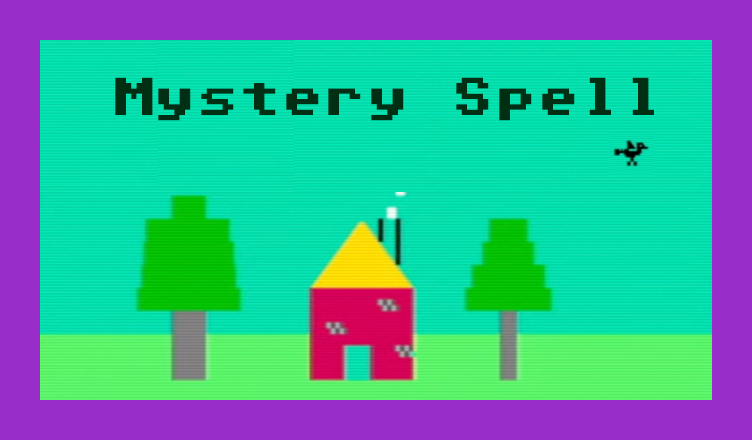
Title – Mystery Spell
System – Commodore 64
Author – Doug Hapeman
Publication – COMPUTE! Issue 40, September 1983
Page Scans – 1 2 3 4 5 6 7
Preserved by – eboy71
Recommended Emulator – VICE
/Mystery-Spell---Screenshot-1.jpg)
/Mystery-Spell---Screenshot-4.jpg)
Loading the Game –
- Mount the disk image (Compute 040 Mystery Spell.d64) in your emulator. In VICE, this is done by selecting File → Attach Disk Image
- Load the app by typing LOAD”MYSTERY SPELL”,8
- Once loaded, type RUN to start
Game Instructions –
- Mystery Spell is a game much like the classic game Hangman. You have so many tries to guess a word before your game is over.
- At the start of the game, a number of dashes appears at the top of the screen. This indicates how many letters your word has.
- To begin, press the key for the letter you want to select. If correct, the bird will fly it to its spot in the word. If incorrect, the bird will land on a perch.
- If you guess the word, you win. If, on the other hand, all the perches are filled before you guess the word, you lose.
Article Text
This spelling game features lively graphics and sprites. It’s also a clever teaching aid for parents, teachers, and students in which spelling lessons can be reviewed and then practiced. Originally written for the TI-99/4A with Extended BASIC, there are also versions for the VIC and 64.
64 Version Notes (see page 114)
Eric Brandon, Programming Assistant
The most interesting feature of the 64 version of “Mystery Spell” (Program 2) is the animated bird. The bird flies around the top of the screen, swooping down to pick up letters and to sit on its perch, depending on whether your guesses are right or wrong.
As the bird moves around, it seems to flap its wings, creating an illusion of flight. This is achieved by rapidly displaying different “poses.” In films, this is done by passing many frames through a projector every second. To achieve the illusion of flapping wings, we too must create a few “frames” of a bird in motion.
Using a sprite editor, we first drew the bird you see in Figure 1. Then, using that sprite, we designed two more birds, one with the wing up (Figure 2) and one with the wing down (Figure 3). Using those shapes, we designed three more birds identical to the first three, but without legs. This gave us three “frames” for the bird carrying a letter, and three “frames” for the bird flying freely. We then set up the DATA statements in the program as if we were going to display six different sprites.
Immediately after the screen RAM are eight memory locations that tell the 64 where in memory to find the shapes of the eight sprites. Usually these locations are at 2040 to 2047 (S07F8 to S07FF). By rapidly POKEing 2040 with the pointer to each “frame,” the bird seems to flap its wings. To see how this is done, look at lines 2000-2060. This is the routine which flies the bird around the top of the screen until you press a key. Line 2050 steps through the “frame” numbers. The actual POKEing is done at the end of line 2000.
Another interesting feature of the game is that when you guess correctly, the bird swoops down to pick up a letter, and then carries it up to the word. How is that letter incorporated into the bird sprite?
In the character set ROM at 53248 (SDOOO), the shape of each character is contained in eight bytes. Each byte is one row, and each bit is a column within that row. Depending on whether the value of that bit is 0 or 1, the pixel will be clear or set inside the character. The sprite is 24 bits wide, which is as wide as three characters. This means that by putting character shape data into every third byte within a sprite, we can make character shapes inside sprites. This technique could be used in any program which moves letters or text around smoothly. To see how this is done, look at lines 2180 to 2260.
Lines 2180 and 2190 make the character ROM available to be PEEKed. They also turn off the keyboard. Lines 2200 to 2240 take the character data and put it in the sprites. Finally, lines 2250 and 2260 cover up the character ROM and re-enabie the keyboard.
Editor’s Note:
- This appears to be the only game development credit for Doug Hapeman.
- Mystery Spell was originally written for the TRS-80 and adapted to the Commodore 64 by COMPUTE! staff, presumably Eric Brandon.
- If you’d like to incorporate your own words, you can do so via the DATA statements starting at line 2780. You can keep the current ones there, remove some, and/or add completely new ones. The words can only be made up of letters from A-Z – no spaces, numbers, or special characters. The asterisk character (*) must appear as the last item in the list of words; this is what tells the program that it’s at the end.


/COMPUTE-040-Sep-83-p112.jpg)
/COMPUTE-040-Sep-83-p114.jpg)
/COMPUTE-040-Sep-83-p117.jpg)
/COMPUTE-040-Sep-83-p123.jpg)
/COMPUTE-040-Sep-83-p124.jpg)
/COMPUTE-040-Sep-83-p125.jpg)
/COMPUTE-040-Sep-83-p126.jpg)