
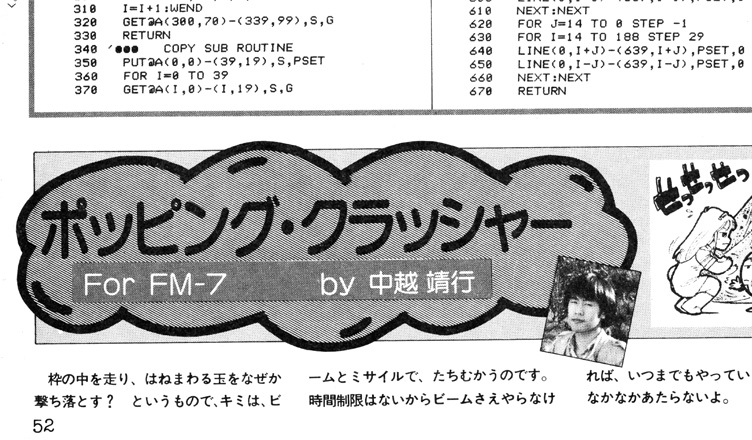
Title – ポッピング・クラッシャー (Popping Crusher)
System – Fujitsu FM-7
Author – 中越 靖行 (Yasuyuki Nakagoshi)
Publication – Program Pochette – ’84 Volume 1
Page Scans – 1 2
Preserved By – Dustin Hubbard (Hubz)
Recommended Emulator – fm7/fm77 (From Takeda Toshiya Common Source project with Included BIOS) or XM7
Loading the Game –
– Run your emulator and load the tape file.
– Type LOAD and wait for tape to load.
– Type RUN
Game Instructions –
Shoot down the bouncing ball with either lasers or missiles. You only get four shots to hit it so make it count. While there’s no time limit eventually the ball will hit your base and destroy it.
Controls –
Numpad 1 – Shoot a beam to the left
Numpad 3 – Shoot a beam to the right
Any other key – Shoot a missile
Magazine Article Translation from Google Gemini (FYI This may not be 100% accurate!)
Popping Crusher
For FM-7
by Yasuyuki Nakagoshi)
The premise is: you’re running around inside a frame, so why not shoot down the bouncing ball? To that end, you must face it with your beam and missile.
There’s no time limit, so if you don’t even fire your beam, you could go on forever. But actually hitting it is quite difficult.
(How to Play the Game)
Your one and only goal is to shoot down the wildly bouncing ball using your missiles and beam.
(Keys Used)
1 ・・・ Shoot a beam to the left
3 ・・・ Shoot a beam to the right
Any other key ・・・ Shoot a missile
(How to Play)
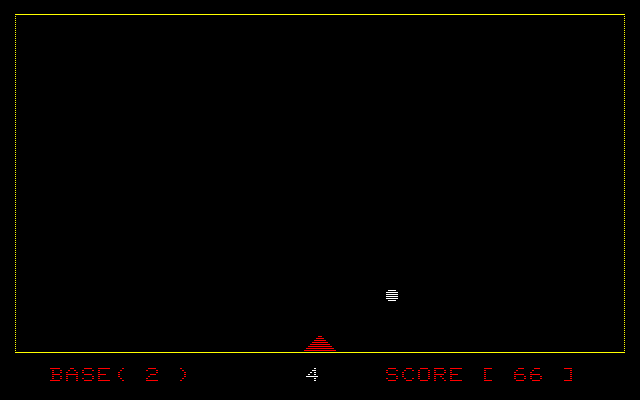
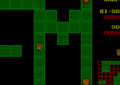
When you run the program, a yellow frame is drawn, and a white ball will fly around inside it. You are in the pyramid-shaped base at the bottom, and from here, you will use your missiles and beam to take down the blue ball.
The “BASE” displayed at the bottom left is the number of your remaining bases (lives). To its right is your remaining ammo (beams and missiles combined). The bottom right is your score.
Here’s a trick to hit the ball with a missile: The instant the ball bounces off the bottom wall, Push any key!
(Program Explanation)
(Variable List)
D ・・・ Number of remaining bases
B ・・・ Score
C ・・・ Number of remaining missiles & beams
X%, Y% ・・ Ball’s position (Note: The ‘%’ indicates these are integer variables)
K%, L% ・・ Ball’s movement direction
A%, B% ・・ Previous ball’s position
(Program Description)
100〜210 Initial setup, screen display
220〜260 Main loop
230 Ball movement
240 Judgment on whether the ball hit the base
250 Key input
260 If only a key was input, go to 230
270〜400 Missile & Beam processing
280 If C < 1 (no ammo left), go to 230
290 Decrease missile/beam count by 1
300 If key 1, go to left beam processing
310 If key 3, go to right beam processing
320〜400 Missile processing
410〜450 Left beam processing subroutine
460〜500 Right beam processing subroutine
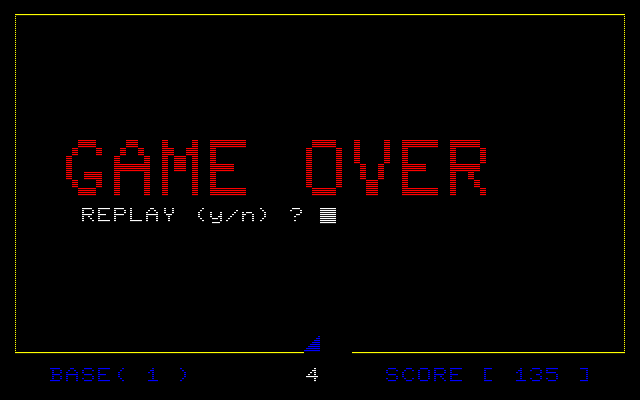
510〜640 Base destruction, ball/explosion processing. If D=0 (no bases left), go to 650 replay routine.
650〜670 Game Over
690〜760 Ball movement
(Check Point / Tips)
If you want to increase the number of missiles/beams, you should make the value of C in line 130 larger.
If you want to make the colors of the ball and missiles colorful, the article suggests modifying or adding the following to line 735:
COLOR INT(RND(5)*7)+1


/Popping%20Crusher%20(Nakakoshi%20Yasuyuki)-1.jpg)
/Popping%20Crusher%20(Nakakoshi%20Yasuyuki)-2.jpg)