
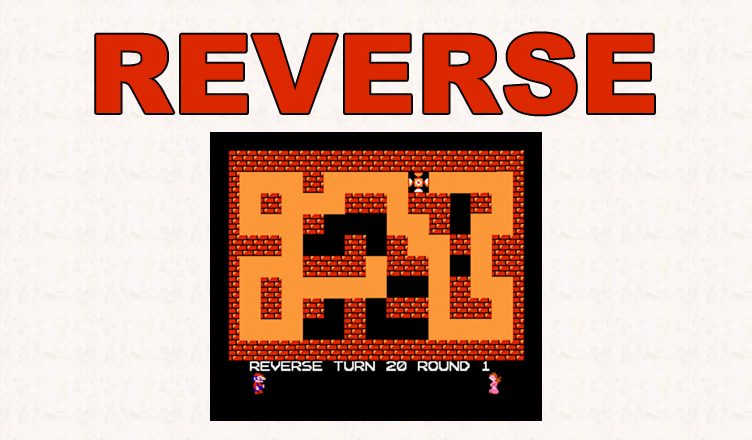
Title – Reverse
System – Nintendo Family BASIC
Author – Satoshi Tateoka
Publication – Micom Basic (マイコンBASIC) February 1986
Page Scans – 1
Preserved By – ximwix
Recommended Emulator – VirtualNES
/screenshot1.png)
/screenshot2.png)
Files:
notes.txt – The file you’re reading now (wow!)
Reverse (Satoshi Tateoka).nes – Game converted to standalone NES rom
reverse-prg.txt – The typed-up program listing
reverse-prg.wav – WAVE file of the program listing, for playback to hardware
reverse-bg.wav – WAVE file of the background, for playback to hardware
reverse-prg.vtp – Virtuanes tape file of the program listing
reverse-bg.vtp – Virtuanes tape file of the background
reverse-prg.fbt – Mesen tape file of the program listing
reverse-bg.fbt – Mesen tape file of the background
scan1.jpg – A scan of the background and program page from Micom Basic
screenshot1.png – In-game screenshot
screenshot2.png – In-game screenshot
Game Instructions:
Press the Start button to begin. The objective is turn all of the black floor spaces into orange floor spaces by walking over them. Each time you walk over a space it changes to the other color.
You start with 20 “reverses”. Every time you walk in the opposite direction of how you just moved, it takes a “reverse” away. For example, if you walked to the right and in your next turn walked to the left, it would take a reverse from you.
If you run out of reverses, then it is a game over. There is also a timer that ticks down (Mario and Lady getting closer to each other), and if you run out of time then it is also game over.
If you can finish all 10 stages, then you win the game.
Cheats:
If you load the game up in Family Basic, you can add or edit the following lines in the code to cheat:
T is the number of Reverses.
You can change the “T=20” on line 9 to whatever value you want (like “T=99”) to get more reverses.
You can also change the “T=T-1” to “T=T-0” on line 21 to stop your reverses count from ever going down.
The time limit is checking if the Mario animation has stopped. You can get rid of this check by changing the “THEN27” at the end of line 15 to “THEN16”.
R is the current level.
You can change “R=0” on line 1 to any value from 0 to 9, like “R=9” to start at a later level.






/scan1.jpg)