
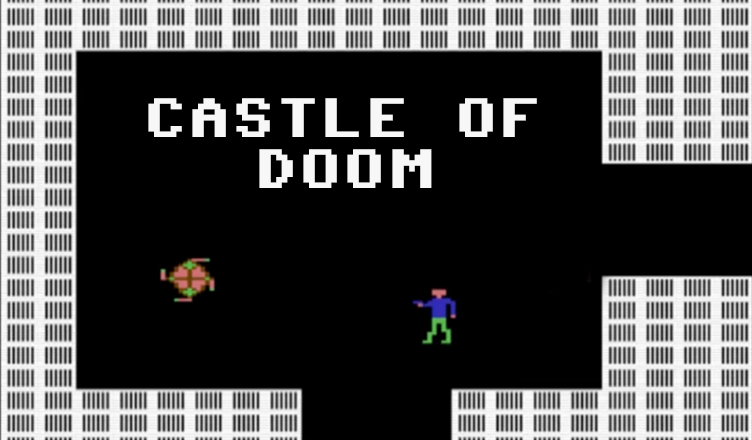
Title – Castle of Doom
System – Commodore 64
Author – Clifford Ramshaw, Mark Ramshaw
Publication – Commodore 64 Games Book
Page Scans – 1 2 3 4 5 6 7 8 9 10 11
Preserved by – eboy71
Recommended Emulator – VICE
/Castle-of-Doom-Screenshot1.jpg)
/Castle-of-Doom-Screenshot2.jpg)
Loading the Game –
- Mount the disk image (Castle of Doom – Commodore 64 – Games Book.d64) in your emulator. In VICE, this is done by selecting File → Attach Disk Image
- Load the app by typing LOAD”CASTLE OF DOOM”,8
- Once loaded, type RUN to start
Article Text & Instructions
Explore the rooms within the castle walls, look for treasure and try to avoid the slime monsters and killer robots.
Points are gained by moving over question marks and killing monsters or robots with your Proton gun.
As you move off the screen from one room you are presented with another. Move back and you return to the same room but now with different contents!
You are killed if you touch the electrified walls or any of the monsters. Some monsters are faster than others and the robots are very dangerous.
Controls:
W – Up
X – Down
D – Right
A – Left
S – Fire
Editor’s Notes:
- This is a fun game, and it feels a bit like Temple of Aphsai and the classic Adventure.
- If you are typing it in, it is recommended to use the Chexsum proofreading program.
- I have carefully proofread the code and double-checked to verify that all the code is accurate based on what is published in the book. However, the game is a bit glitchy. Enemy sprites occasionally flicker and cannot be hit while in that state. In addition, I ran into an error that stopped the game during one playthrough, but was unable to determine what the error was due to its use of character graphics.


/C64-Games-Book-p174.jpg)
/C64-Games-Book-p175.jpg)
/C64-Games-Book-p176.jpg)
/C64-Games-Book-p177.jpg)
/C64-Games-Book-p178.jpg)
/C64-Games-Book-p179.jpg)
/C64-Games-Book-p180.jpg)
/C64-Games-Book-p181.jpg)
/C64-Games-Book-p182.jpg)
/C64-Games-Book-p183.jpg)
/C64-Games-Book-p184.jpg)