
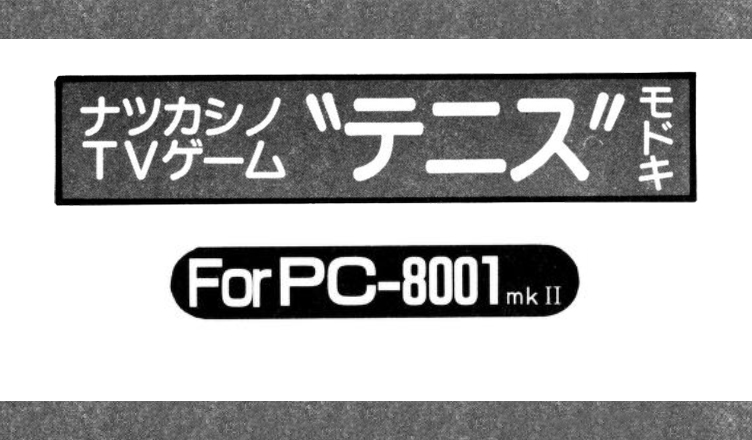
Title –“Tennis” Modoki / Tennis-like
System –NEC PC-8001mkII, NEC PC-8001
Author –宮本智幸 (Miyamoto Tomoyuki)
Publication – Program Pochette – ’84 Volume 2
Page Scans – 1
Preserved by – Fuji
Recommended Emulator – j80
Loading the Game:
– Run your PC-8001 emulator and make sure it is in PC-8001 mode.
Disk Version
– Insert the disk file.
– Reset PC-8001 in emulator, game should auto boot.
Tape Version
– Insert the tape file.
– Type cload”tennis” (case-sensitive) and hit enter.
Description & Instructions:
This is a single player game of Tennis or Skash. You control the paddle on the right side of the screen and the goal is to bounce the ball off the far wall in order to collect points.
Controls:
- Numpad 1 – Move paddle down
- Numpad 7 – Move paddle up
- Enter – Restarts the game (from the game over screen)
Notes for typing in:
This game was written for the PC-8001mkII, however it is compatible with the original model PC-8001 if some minor changes are made to the code for N80-BASIC. The magazine article provided these instructions.
- On the second line, remove CMD SCREEN and everything that follows it, replace it with PRINTCHR$(12)
- Remove the 5th line of code entirely
- On the 11th line, remove CMD CLS 3 and replace it with PRINTCHR$(12).
If you want more of a thrill, than on line 14 where the code is X=3:LOCATE……IF Z<1 THEN Z=3, replace the 3 with a number between 6 and 8-ish and see how it goes. Sometimes an amazing ball will be returned and it’s exciting.
Program explanation (variable list):
S……Score
HS……High Score
A$……For registering the name of the high scorer
Z……Speed of the ball
V……Ball speed + X-axis direction
F……Ball speed + Y-axis direction
P…… Racket position
X,Y……Ball position
XX,YY……Ball’s previous position
Program Description:
Lines 1-3 – Initial setup
Lines 4-8 – Setup screen
Line 9 – Check the position of the ball and goto each line
Line 10 – Check if receive was successful or failed
Lines 11-13 – Game Over processing
Line 14 – Bounce off the left wall
Lines 15-16 – Move the racket
Lines 17-18 – Move the ball
Lines 19-21 – Racket movement subroutine
Line 22 – Play sound for failed reception


/Tennis%20Modoki(Miyamoto%20Tomoyuki)-1.jpg)